Manage Graphs
To manage graphs, select the menu Graphs / Manage Graphs…
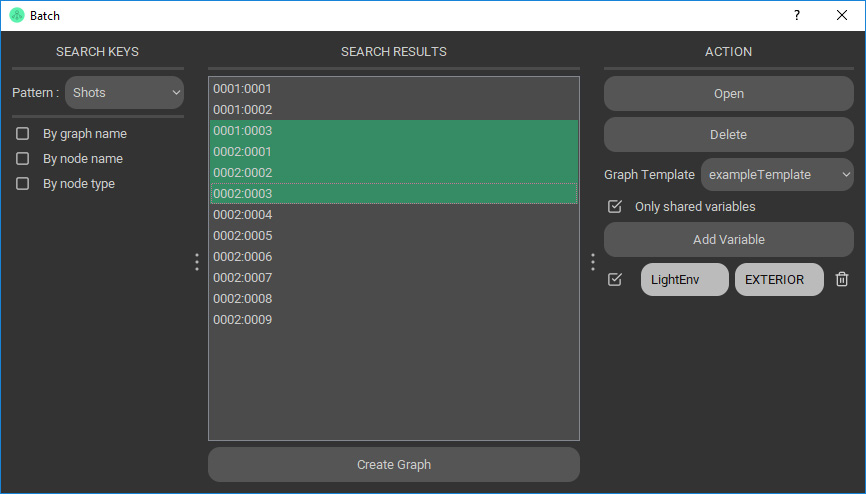
Create by keys
To create graphs, press the the “Create” button below the graph list.
Select a pattern.
If a template is specified, the graph will import this template at the first opening.
Single: enter keys of the graph.
Multi: enter a list of keys. An example with a pattern of two keys : S0001:P0002 S0001:P0002 S0001:P0002
Create from file
From file:
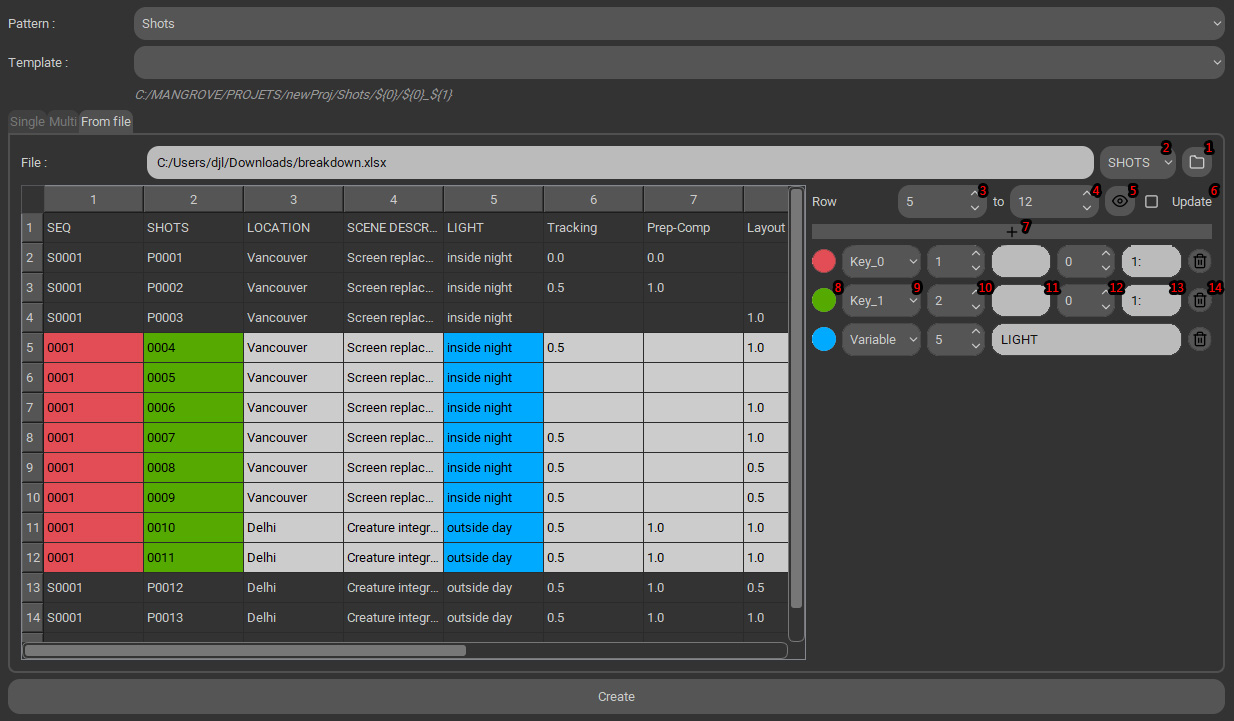
- 1: select a xlsx document.
- 2: choose the document page.
- 3-4: select rows.
- 5: view the original document.
- 6: don’t skip existing graphs but update its variables.
- 7: add a key or variable token.
- 8: row color.
- 9: choose Key or Variable.
- 10: corresponding row of the key or variable.
Word decomposition: select part of the cell with the widgets 11 to 13
- 11: select a character separator.
- 12: select the number of the word, e.g. you need XXX from the cell XXX_YYY_ZZZ, choose the separator “_” and the word number 0.
- 13: select a range of characters in this word. Examples from the word “caramba”:
- 14: delete the token.